Laptop Repair Upgrades That Make It Feel Brand New Ranked by Value
My cousin called me last month ready to throw his laptop out the window. Three years old, bought it for college, and it had slowed down so bad he said opening Chrome felt like “waiting for a bus that might not come.” He was about to spend $750 on a new one.
He didn’t need a new laptop. He needed a $130 SSD swap and a fan cleaning. That’s it. Runs like a champ now.
This happens constantly in the US people replace machines that just need the right laptop repair. Not because they’re bad at tech, but because nobody told them what’s actually fixable. So let’s fix that right now.
Your Laptop Isn’t Broken. It’s Tired.
Here’s something most repair techs will tell you but most ads won’t: the majority of “dying” laptops aren’t dying at all. They’re just running old components under new demands. The apps you use today Chrome with 14 tabs, Zoom, Spotify, whatever cloud tool your job switched to last year they eat more memory and processing power than the same apps did three years ago. Your hardware hasn’t changed. The software world has.
So when your laptop starts chugging, stuttering, overheating, or crashing, that’s not a death rattle. It’s more like a car that needs new tires. The engine’s fine. You just haven’t maintained the thing.
A proper laptop repair, targeted at the right component, can genuinely transform how the machine performs. Not marginally. Dramatically.
The SSD Swap: Nothing Else Even Comes Close
I’ll stop dancing around it. If your laptop has a traditional spinning hard drive the kind with moving parts, which most machines sold before 2020 came with swapping it for a solid-state drive (SSD) is the single most impactful laptop repair you can do. Full stop.
We’re not talking about a 20% improvement. People report boot times going from two or three minutes down to 15 seconds. Apps that took 30 seconds to open now pop up instantly. The whole thing just… snaps. It’s genuinely shocking the first time you experience it on a machine you thought was dead.
In the US, this repair typically runs $100 to $250 depending on drive size and whether the shop handles data migration. For a laptop that’s otherwise solid? That’s an incredible return. The only question is whether your machine has an available M.2 or SATA slot a good tech will check that in the diagnostic.
Dell Laptop Repair: Why So Many Dells End Up in Shops And Why That’s Okay
Dell sells a lot of laptops in the US. Like, a lot. Inspiron, XPS, Latitude there’s one in nearly every home office and college dorm. And because they’re everywhere, dell laptop repair is one of the most common jobs any repair shop handles.
The thing about Dell machines is they run warm. Always have. And when cooling systems get clogged with dust which happens to literally every laptop eventually that warmth becomes a problem. Dell laptop crashing mid-task, shutting down without warning, freezing on the login screen these are almost always thermal issues or driver conflicts, not hardware death.
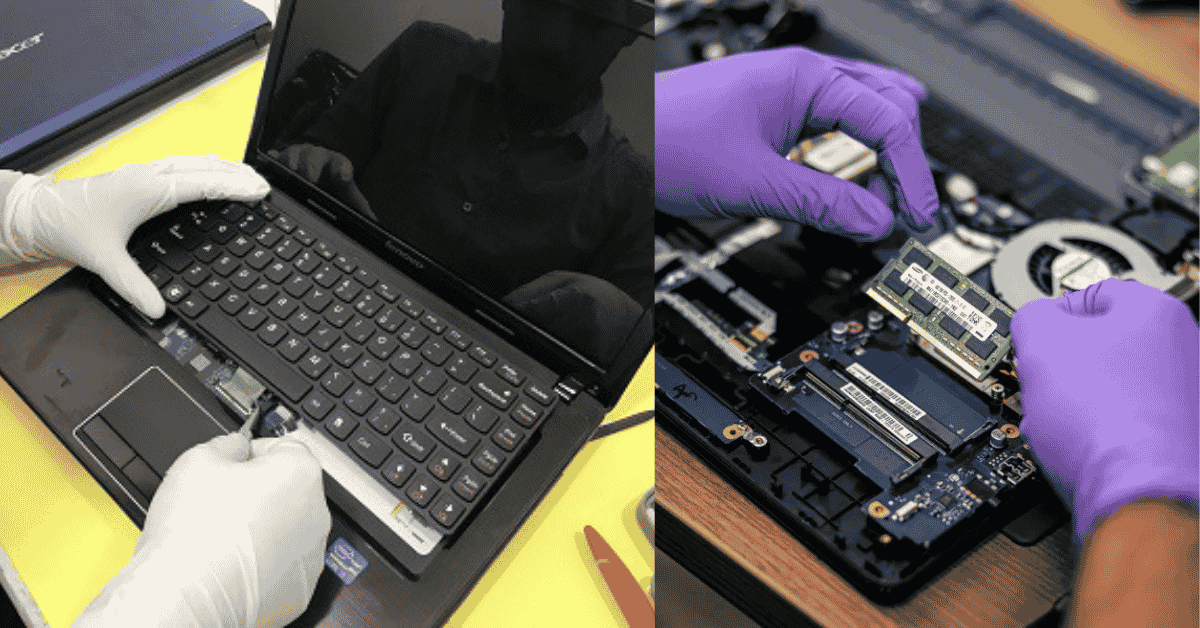
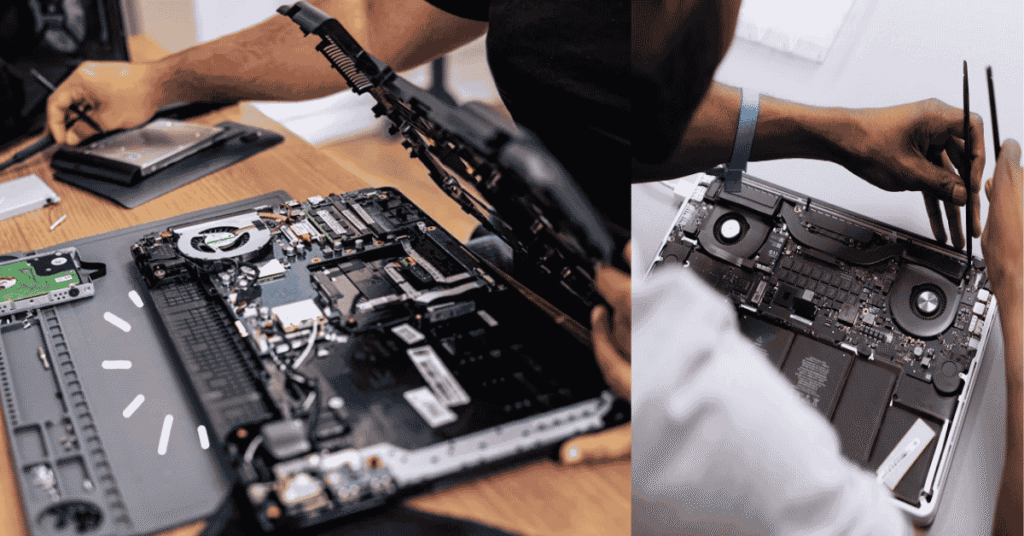
Dell laptop repair for overheating usually means pulling the machine apart, blowing out the dust, reapplying fresh thermal paste on the processor, and sometimes swapping a tired cooling fan. It’s not glamorous work but the results are real. An XPS that was throttling and crashing can run cool and quiet again after a proper service.
Worth mentioning: older Dell Inspiron models came with painfully slow 5400 RPM hard drives from the factory. Pair a fan cleaning with an SSD upgrade on one of those and you’ve basically got a new computer. Customers are always a little stunned.
RAM: The Fix That Makes Everything Smoother at Once
Think of RAM as your laptop’s workspace. The more of it you have, the more you can spread out. Open a few more tabs. Run that spreadsheet while you’re on a video call. Switch between apps without everything grinding to a halt.
A lot of laptops shipped with 4GB or 8GB of RAM back when 8GB felt like plenty. It doesn’t anymore. If your machine has 4GB, upgrading to 16GB will feel like unlocking the machine entirely.
Now important caveat. Plenty of newer laptops have RAM soldered directly onto the motherboard. You can’t upgrade it after the fact. That’s a design trend that’s honestly frustrating for consumers, and it’s one of the reasons checking repairability before you buy matters. But for machines where the RAM is in a slot? It’s one of the most affordable upgrades in laptop repair, and the difference in day-to-day use is hard to overstate.
Lenovo Laptop Repair: The Brand That Actually Wants You to Fix Your Own Stuff
I’ll be honest not all laptop brands make repair easy. Some use glue where screws should be, or proprietary parts you can’t source anywhere. Lenovo is not that. Lenovo laptop repair, especially on ThinkPad models, is a genuinely pleasant experience for technicians.
They publish service manuals. They use standard hardware. Parts are available. The ThinkPad lineup in particular was designed from the ground up to be opened and serviced it’s one of the reasons they score so well on repairability indexes.
Lenovo laptop repair most often comes in for battery replacement, SSD upgrades, or keyboard issues on the IdeaPad consumer line. None of those are expensive fixes. None of them take long. And all of them have a meaningful impact on how the machine feels to use every day. If you’ve got a Lenovo that’s slowing down or acting up, don’t write it off it’s probably one of the easiest machines to bring back.
Battery Replacement: The “Why Didn’t I Do This Sooner” Fix
There’s a certain kind of laptop user who has just accepted that their machine needs to be plugged in at all times. The cord has basically become a permanent feature of the setup. They charge to 100%, unplug, and it hits 40% in 45 minutes. So they just… leave it plugged in forever.
You don’t have to live like that.
Battery replacement is genuinely one of the most underrated forms of laptop repair in the US. It’s $80 to $150 in most markets, it takes under an hour, and it gives you your laptop back the portable, go-anywhere device it was supposed to be. Lithium-ion batteries degrade with charge cycles. That’s just chemistry. It’s not a flaw, it’s physics. After 500-800 cycles, they’re done.
If you live somewhere hot Texas, Arizona, Florida your battery has been under more thermal stress than someone using the same laptop in Seattle. Heat kills battery cells faster. Getting a replacement isn’t a sign something went wrong. It’s just maintenance, same as anything else.
Laptop Trackpad Repair: The Problem People Put Up With Way Too Long
Nobody ever comes in saying “I need a laptop trackpad repair.” They come in saying “oh yeah the trackpad’s been weird for like eight months, I just use a mouse now.” And every tech has heard that sentence a hundred times.
Here’s the thing a broken or erratic trackpad usually has a pretty clear cause. The most common one is actually a swollen battery. When a lithium cell starts to fail, it can expand and push up against the trackpad from underneath, warping it or disrupting the click mechanism. It feels like a trackpad problem but it’s actually a battery problem. And a swollen battery isn’t just an inconvenience it’s a safety issue that needs to be addressed regardless.
Other common causes of laptop trackpad repair needs: a loose ribbon cable connection that just needs to be reseated, or a driver conflict that a software fix can handle in 20 minutes. Either way, it’s almost never “just buy a new laptop” territory. Get it looked at.
So Is Your Laptop Actually Worth Repairing?
Fair question. Not every machine deserves to be saved. But more of them do than people realize.
The general rule used by most shops in the US: if the total repair cost comes in under 50% of what a comparable new laptop would cost you, repair wins. Almost every time. Financially, practically, and in terms of the hassle of setting up a new machine.
Picture this: you’ve got a four-year-old laptop. It needs a new SSD, a RAM bump, and a fresh battery. Maybe $300-$350 all in. A new machine with the same specs? Closer to $700. And the new machine doesn’t have your files already organized the way you like them, your browser bookmarks, your software installed, your wallpaper even. There’s a real cost to switching that people forget to count.
That said if a laptop is pushing seven or eight years old and needs a motherboard repair, the math changes. At some point you’re patching a ship that’s going to spring another leak. A good technician will tell you honestly where that line is instead of just taking your money.
One Last Thing: Don’t Wait Until It’s Completely Dead
The most expensive laptop repairs are the ones people waited too long to get. A fan running loud for six months that nobody addressed until the processor overheated and damaged the motherboard. A battery swelling that nobody noticed until it warped the chassis. A hard drive making faint clicking noises for weeks before finally failing and taking data with it.
Early warning signs are the laptop asking for help. A fan that’s louder than it used to be. A trackpad that stutters occasionally. A battery that drains faster than it did six months ago. These things don’t fix themselves. But caught early, they’re cheap and quick to address.
Find a local shop you trust, one that offers a free diagnostic before quoting you anything, and take the machine in when something seems off. In most US cities you can get same-day service on common repairs. Don’t wait for a full breakdown. The laptop you’ve got is probably worth saving.
FAQs
How much does laptop repair usually cost in the US?
Simple software fixes start around $50. Hardware repairs like SSD installs, battery swaps, or screen replacements typically run $100 to $400 depending on the part and your location. Most reputable shops offer free diagnostics before charging you anything.
Is fixing an older laptop actually worth it financially?
In most cases, yes especially if the machine is under five years old. If the repair costs less than half of what a new comparable laptop would run you, repairing almost always makes more financial sense. SSD and RAM upgrades in particular can extend a laptop’s useful life by several years.
My Dell laptop keeps crashing. Is it serious?
Usually not as serious as it sounds. Dell laptop crashing is commonly traced to overheating, dust-clogged vents, outdated drivers, or a failing hard drive all of which are fixable. Get a diagnostic before assuming the worst. Most Dell crashes have a clear, addressable cause.
What’s the single best upgrade I can do during a laptop repair?
An SSD swap if your machine still has a traditional hard drive. It’s not close. The speed improvement is dramatic, it’s immediately noticeable, and for most people it’s the single biggest quality-of-life improvement a laptop repair can deliver.
How quick is a laptop trackpad repair?
Most trackpad jobs take one to two hours at a shop. If it’s a loose cable or a swollen battery pushing on the pad, it can be even quicker. Driver-related issues are sometimes fixable remotely the same day. Either way, it’s not a big job don’t put up with a broken trackpad when the fix is usually simple.